Can one plugin replace several WordPress security plugins?
By Eureka Studio · Updated
Short answer
Often, yes. Hide login, login limits, two-factor, XML-RPC, username leaks, spam, fake signups and bot floods are usually covered by separate plugins. One plugin can do all of them with one log and one allowlist. List what each current plugin does, switch on the matching layers, then retire the old plugins one at a time.
Steps
1Step 1
List what each security plugin does
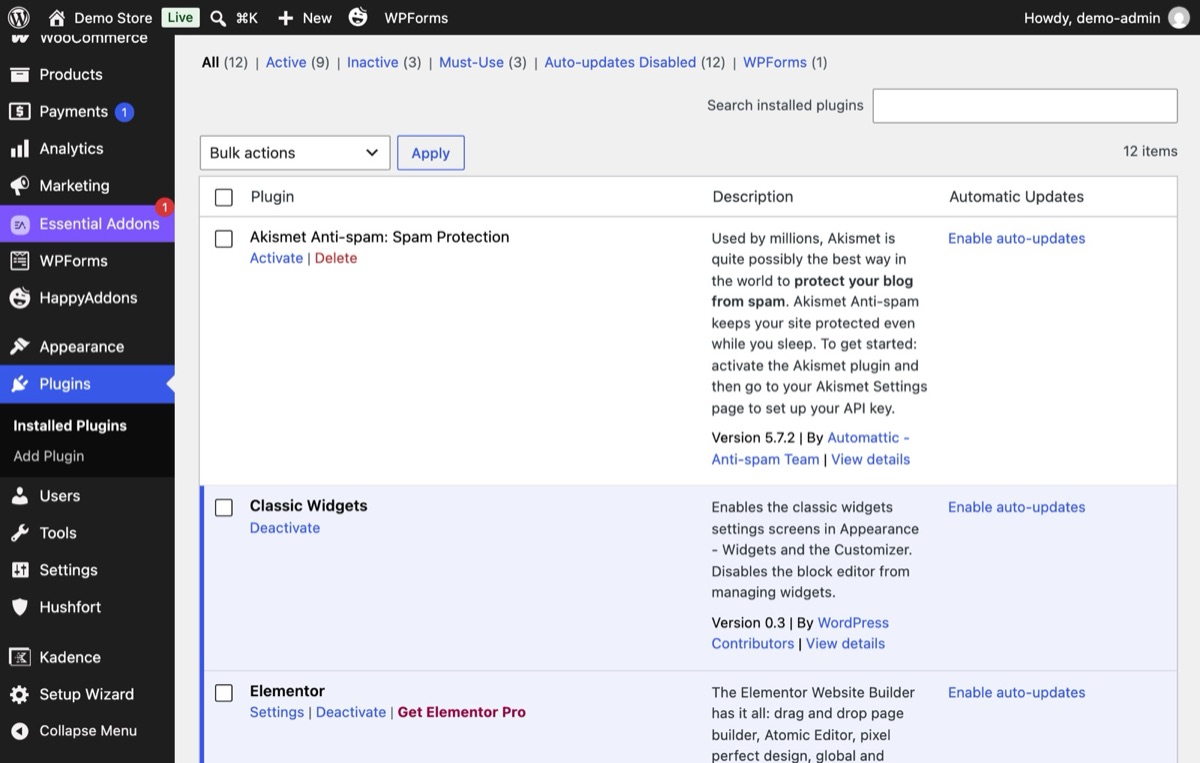
Open Plugins and write one line per security-related plugin. You'll often find two plugins doing the same job, and one job nobody covers.
2Step 2
Switch on the matching layers in Hushfort
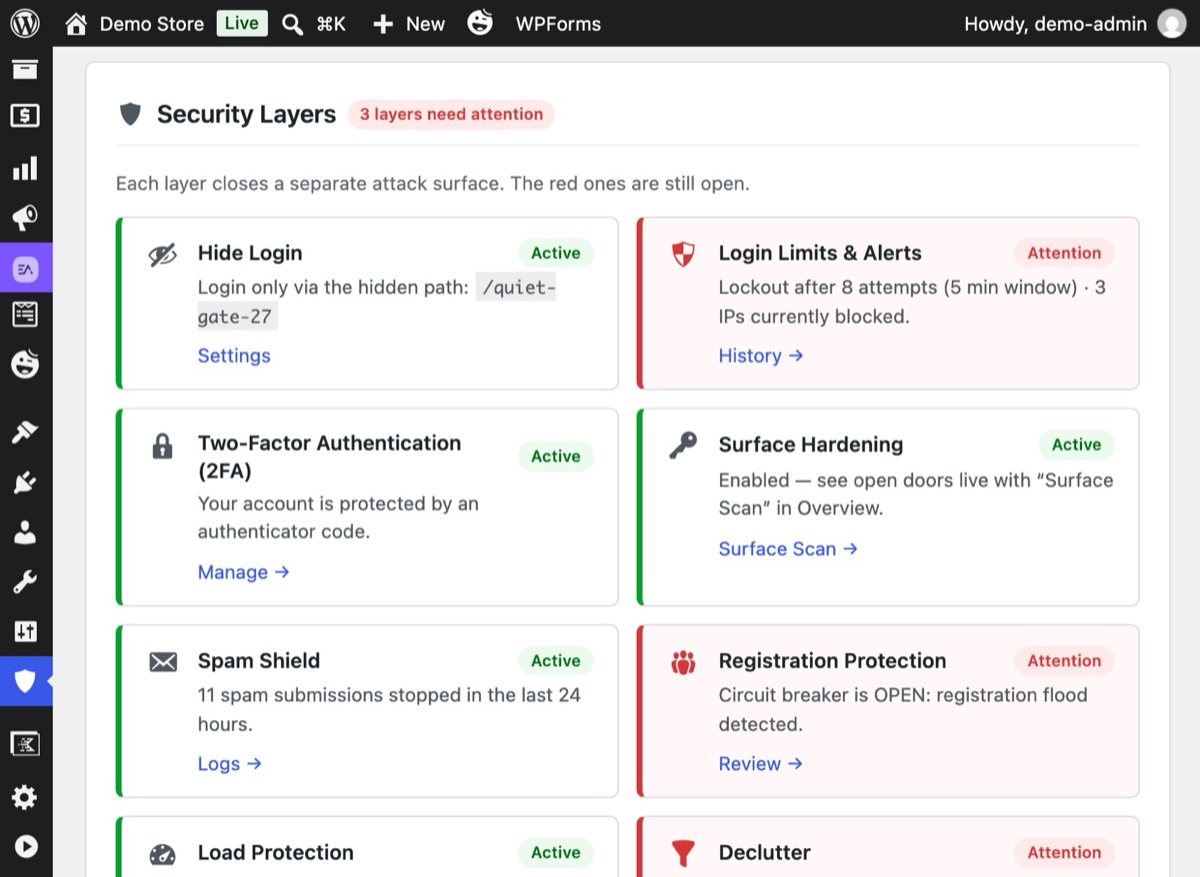
Turn on only the layers that replace something you have. The Overview shows one card per layer: green when it is protecting, red when it is off or needs a look.
3Step 3
Retire old plugins one at a time
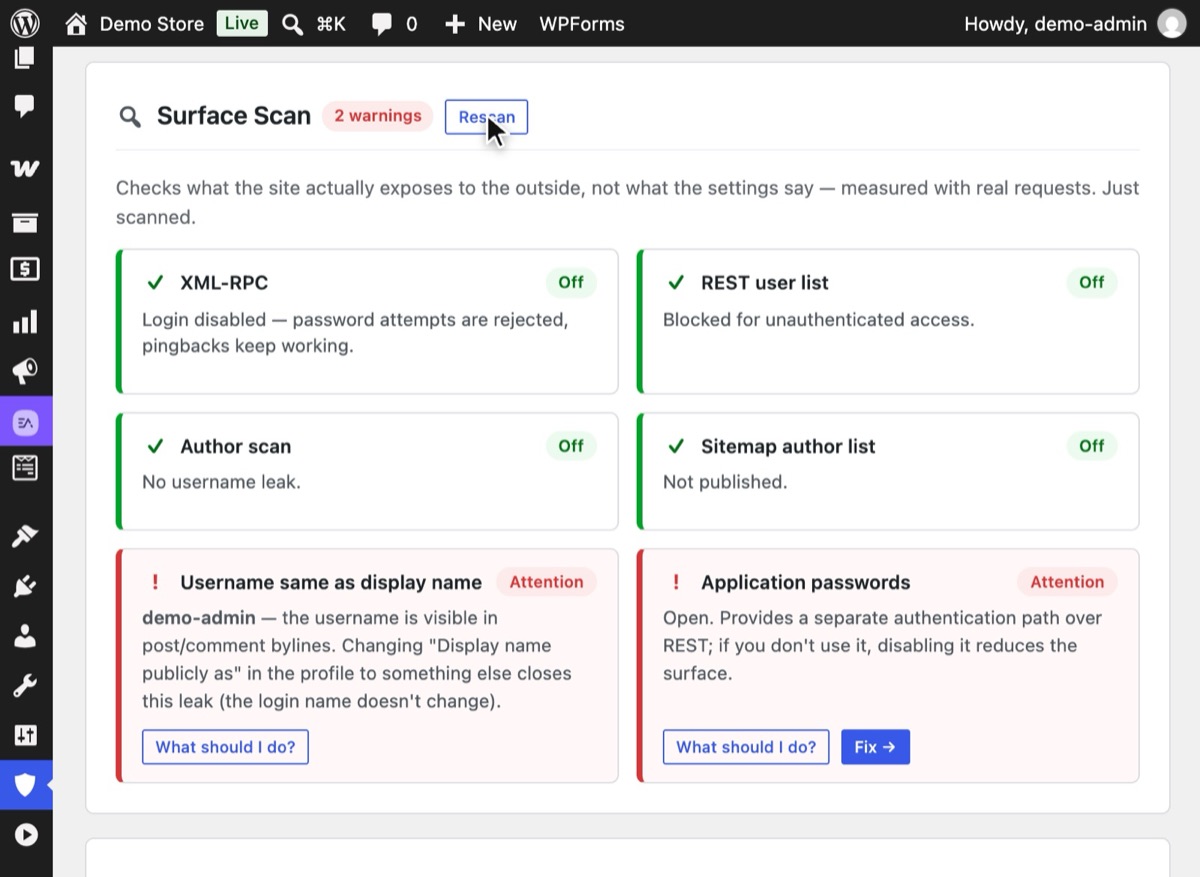
Deactivate one old plugin, test the job it did, then move to the next. After each one, press Rescan under Surface Scan to see the doors are still closed. Don't run two hide-login or two login-limit plugins together; they fight over the same requests.
4Step 4
Let Declutter confirm what's left
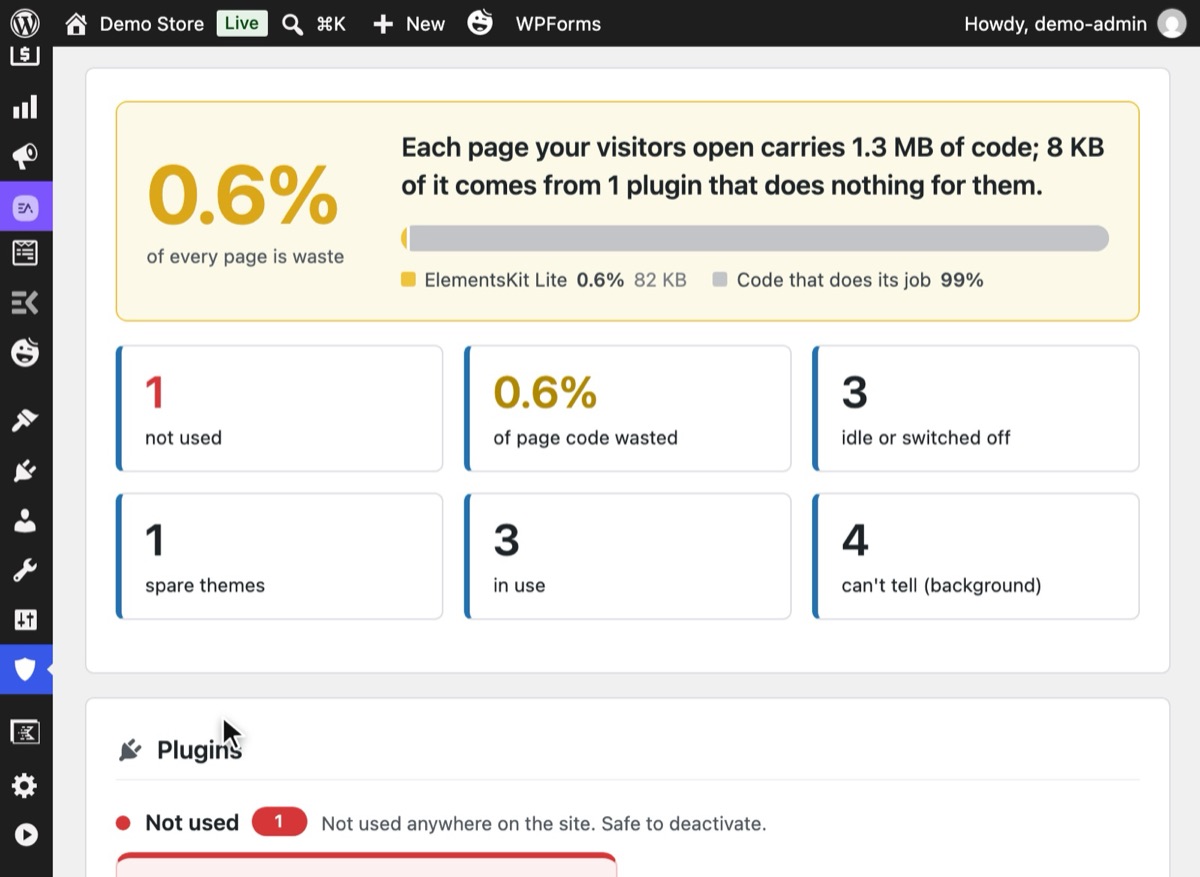
Run Declutter to see which plugins now do nothing. Set them aside, test, and delete through WordPress's own confirmation.


Why it matters
Security on WordPress tends to grow one worry at a time. Bots find the login page, so you add a hide-login plugin. Then password guessing, so a login-limit plugin. Then a 2FA plugin, a plugin to switch off XML-RPC, a comment-spam service, a honeypot for each form plugin, something for fake signups, and something for aggressive bots.
Each of those plugins is reasonable alone. Together they cause quieter problems:
- Many separate logs. A blocked login is in one plugin, a blocked signup in another, a blocked bot in a third. Nobody sees the whole picture.
- Many allowlists. You allow your own IP in one place and get locked out by another.
- Different views of the same visitor. One plugin reads the real IP behind Cloudflare, another reads the proxy. One locks out a bot, the other locks out everyone.
- More to update. Every plugin is code to keep current, and more doors to keep an eye on.
- Conflicts. Two plugins rewriting the login URL, or both counting the same failed login, produce strange bugs.
Common mistakes
- Switching everything at once. Move one job at a time and test in between.
- Losing settings on the way. Write down your old hidden login path, allowlisted IPs and limits before you deactivate anything.
- Leaving a gap. If the old setup closed XML-RPC and the new one doesn't yet, you've opened a door. Turn the new layer on before you turn the old plugin off.
- Expecting one plugin to do everything. No single plugin covers malware cleanup, firewall rules, backups and login hardening equally well. Be clear about which job each tool does.
Without a plugin
You can reduce plugin count without any new plugin, by moving simple jobs into code:
- XML-RPC login: the
xmlrpc_enabledfilter (see how to disable XML-RPC). - Username leaks: a few filters for REST, author scans and the sitemap (see how to hide usernames).
- Comments: close them in Settings → Discussion if you don't need them.
Each snippet is small, but together they make a custom plugin that only you maintain, with no log, no shared allowlist and no tests. That trade can be fine for a developer with one site. It gets harder with every site you look after.
If something goes wrong
- You can't log in after swapping hide-login plugins. The old plugin's path no longer works.
Add
define( 'GATEKEEPER_LOGIN_SLUG', 'new-path' );towp-config.php, or see Locked out after changing the login URL. - Forms stopped sending. Two spam layers may be checking the same form. Turn off the old honeypot add-on, then clear your page cache.
- Lockouts doubled. Two login-limit plugins are counting the same attempts. Deactivate the old one.
With Hushfort
Hushfort brings ten jobs into one plugin: Hide Login, Login Limits, Two-Factor, Backdoor Lock for XML-RPC, Username Shield, Surface Scan, Anti-Spam, Fake Signup Block, Flood & Fake-Bot Guard, and Declutter. Each is a module you switch on separately.
- One dashboard with a status card per layer.
- One History of failed and blocked attempts, filterable.
- One IP reading and one allowlist shared by every module.
- No third-party services, no CAPTCHA, no telemetry.
What it doesn't do, said plainly: malware scanning, firewall rule sets, country blocking, backups. Keep dedicated tools for those; Hushfort pairs well with them.
Frequently asked questions
How many security plugins should a WordPress site have?
Can I run Hushfort next to another security plugin?
Does Hushfort replace a malware scanner or firewall?
Will removing my old plugins lose their settings?
Is an all-in-one plugin heavier than several small ones?
Related how-tos
How do I find unused plugins in WordPress?
Find plugins that are installed but do nothing, see how much code they load on every page, and remove them in two reversible steps.
Read the stepsHow do I change the WordPress login URL?
Change the WordPress login URL and hide wp-admin in five safe steps. Test before you log out, and know how to get back in if you forget it.
Read the stepsHow do I run a security check on what my WordPress site exposes?
Test your WordPress site the way a bot does. Five requests show if the login, XML-RPC and your usernames are open, and how to close what you find.
Read the steps