How do I run a security check on what my WordPress site exposes?
By Eureka Studio · Updated
Short answer
Test your site from the outside with real requests, logged out: open /wp-login.php, /xmlrpc.php, /wp-json/wp/v2/users, /?author=1 and /wp-sitemap-users-1.xml. Each one shows whether a login door is open or a username leaks. You can run them with a browser or curl, or let a scanner plugin run them and name what it finds.
Steps
1Step 1
Open a private window or a terminal
Test as a stranger, not as yourself. Logged-in requests see more than the public does, so always check while logged out.
Five requests a bot would make curl -sI https://yoursite.com/wp-login.phpcurl -s https://yoursite.com/xmlrpc.phpcurl -s https://yoursite.com/wp-json/wp/v2/userscurl -sI https://yoursite.com/?author=1curl -sI https://yoursite.com/wp-sitemap-users-1.xml2Step 2
Check the login doors
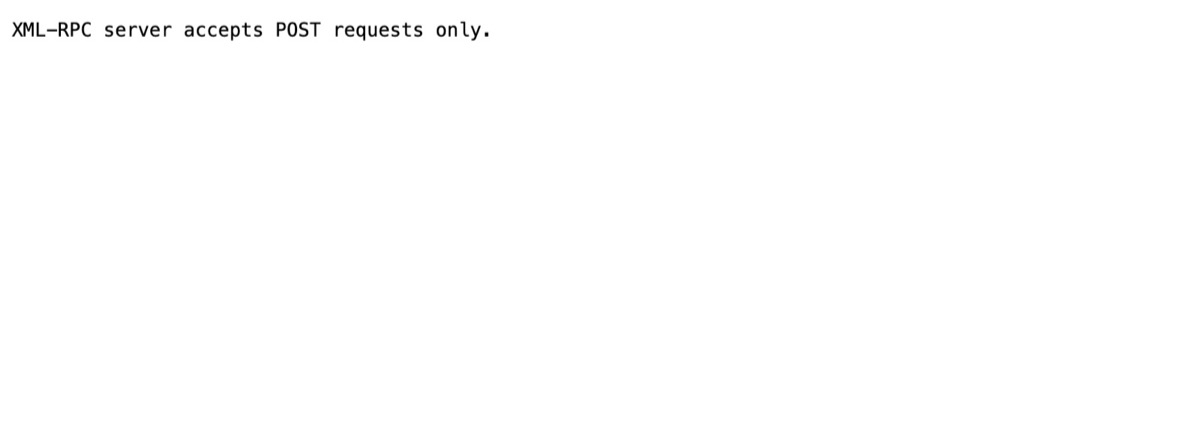
wp-login.php showing a login form means the default login is public. xmlrpc.php answering "accepts POST requests only" means a second login door is open too.
3Step 3
Check for leaked usernames
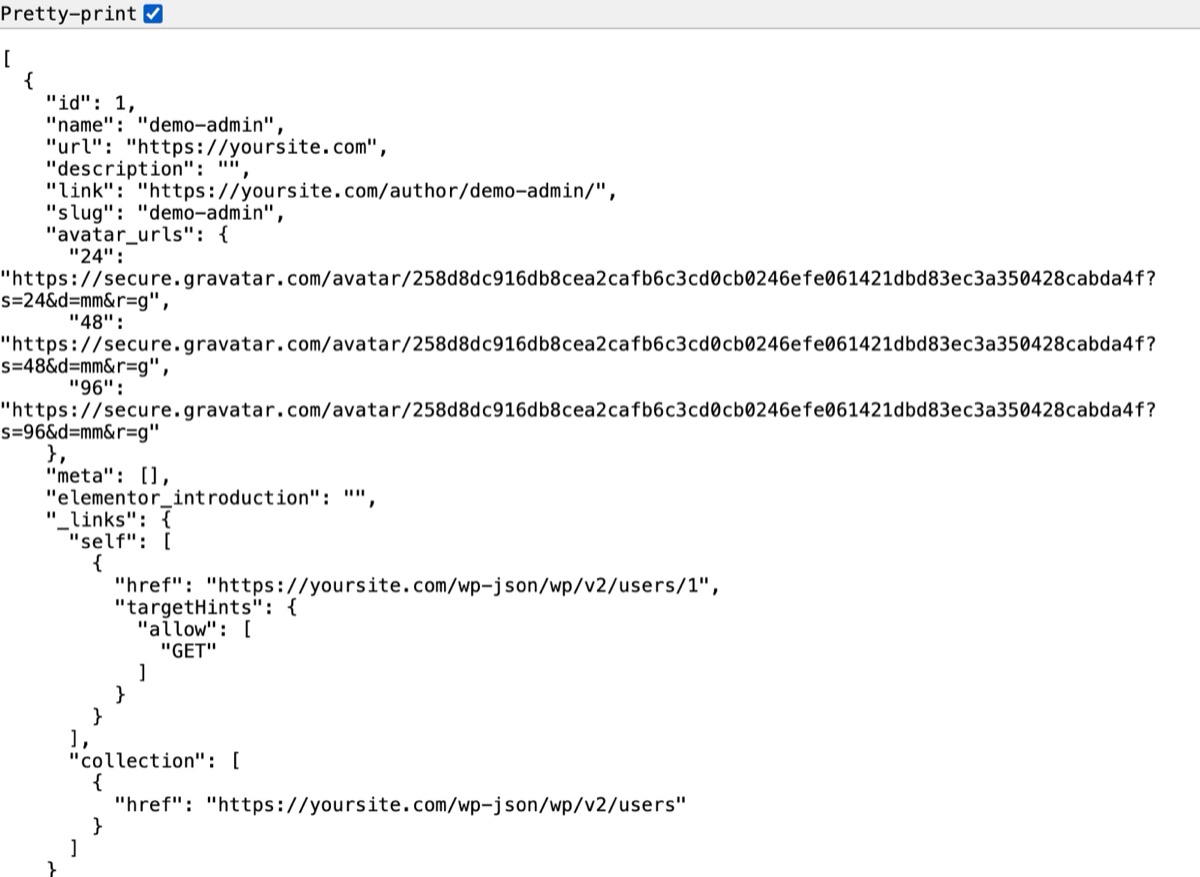
A JSON list from /wp/v2/users, a redirect from ?author=1 to /author/name/, or a user sitemap all reveal login names.
4Step 4
Run Surface Scan for the full picture
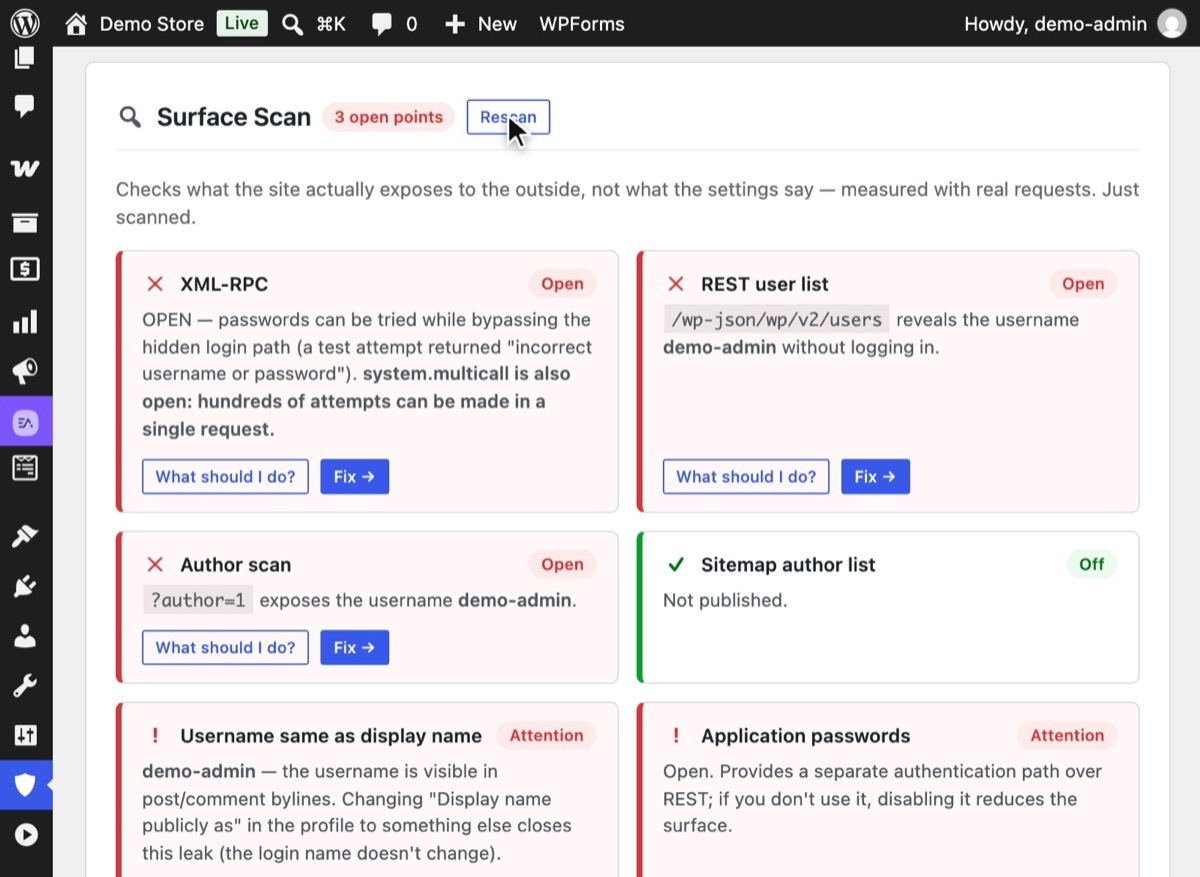
In Hushfort, open the Overview and press Rescan under Surface Scan. It sends real requests to your site and names each username it finds.
5Step 5
Close what you found, then scan again
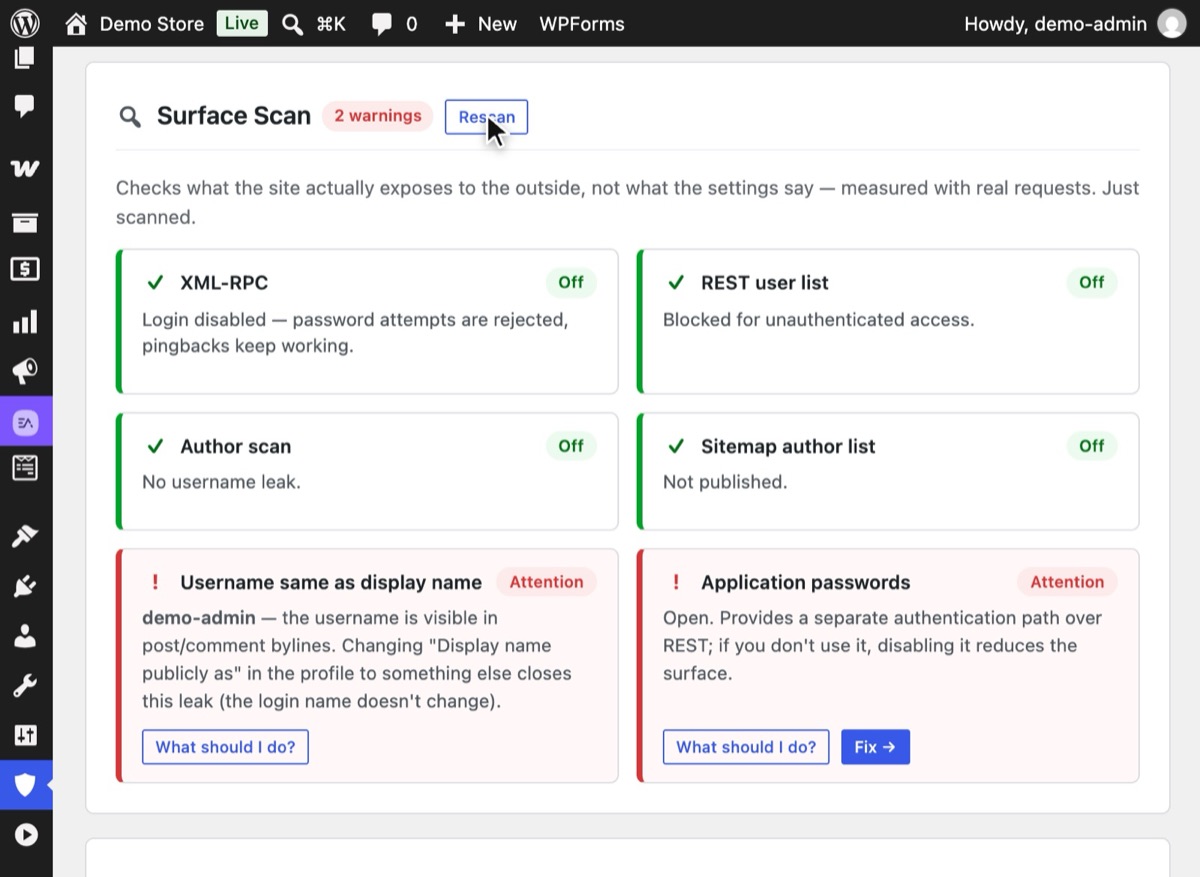
Turn on Surface Hardening and press Rescan. The doors that were red now show a green check; anything left is marked Attention with a suggested fix.


Why it matters
Most security advice is about switches: turn this on, disable that. But a switch tells you what you asked for, not what happened. A caching layer may serve an old response. A CDN rule may block a file before WordPress ever sees the request. A plugin may re-open something another one closed. The only honest answer to "what does my site expose?" is to ask it the way a stranger would.
The good news: the list of things worth checking on the login side is short. Bots look for the same handful of addresses on every WordPress site:
| Address | What it reveals when open |
|---|---|
/wp-login.php, /wp-admin |
The default login form |
/xmlrpc.php |
A second login door, with bulk guessing via system.multicall |
/wp-json/wp/v2/users |
A list of authors and their login slugs |
/?author=1 |
A redirect to /author/login-name/ |
/wp-sitemap-users-1.xml |
Author archive URLs, which contain login slugs |
None of these is a disaster on its own. Together, they hand a bot a list of names and two doors to try them on. Knowing which ones are open lets you close them in the right order: doors first, names second.
Common mistakes
- Testing while logged in. WordPress shows logged-in users more. Use a private window or
curl. - Testing the cached page. If you just changed a setting, clear your page cache and CDN cache first, or you'll see the old answer.
- Stopping at the first green light. Closing the login form while XML-RPC stays open is the most common half-fix we see.
- Expecting a full security audit. These checks are about the ways in. They say nothing about malware, file changes or outdated plugins.
Without a plugin
The five curl commands in step 1 are the manual method, and they are worth knowing. Read the
results like this:
HTTP/2 200onwp-login.php: the default login is public.404: it's hidden.XML-RPC server accepts POST requests only.fromxmlrpc.php: the endpoint is live. To see if login is accepted, you'd have to send awp.getUsersBlogscall with a test account.- A JSON array from
/wp/v2/userswith"slug"fields: usernames are public.401or an empty array: closed. Location: /author/name/from?author=1: a leak. Repeat with 2, 3 and so on to see how many users a bot could collect.200on the user sitemap: author URLs are listed.
The downside is time and interpretation. You have to repeat it after every change, and testing XML-RPC login properly means crafting XML by hand.
If something goes wrong
- The scan says "open" but you turned it off. Clear page and CDN caches and scan again. If it's still open, another plugin or a server rule may be overriding the setting.
- The scan can't reach your site. Some hosts block a site from requesting itself
(loopback). Ask your host to allow loopback requests, or use the
curlmethod from outside. - A username still leaks after hardening. Check your theme's author box and any SEO plugin's author sitemap. Change the author's display name if the theme prints it.
With Hushfort
Surface Scan lives in Hushfort's Surface Hardening panel. It measures what your site actually exposes with real requests, just like the manual method, and lists the usernames it finds by name. Each finding maps to a Hushfort layer that closes it:
- XML-RPC login → Backdoor Lock
- REST user list, author scans, sitemap → Username Shield
- Default login → Hide Login
We built Surface Scan after a store kept receiving password attempts through XML-RPC even though its login page was hidden. The setting looked fine; only a real request showed the open door.
Frequently asked questions
Is it legal to scan my own WordPress site?
Why test with real requests instead of reading settings?
Does this check find malware or vulnerable plugins?
How often should I check?
Related how-tos
How do I stop user enumeration in WordPress?
WordPress publishes login names in four places. Close the REST user list, ?author=N scans, author archives and the user sitemap, then test.
Read the stepsWhat is xmlrpc.php, and how do I disable it in WordPress?
xmlrpc.php is a second login door that a hidden login page doesn't close. How to shut it safely, keep pingbacks if you want, and test the result.
Read the stepsHow do I change the WordPress login URL?
Change the WordPress login URL and hide wp-admin in five safe steps. Test before you log out, and know how to get back in if you forget it.
Read the steps